


23snaps: Private Family Album
4.4329.00 Reviews
App Specs
- Version
- 9.2.0
- Updated On
- License
- Free
- Downloads
- 100,000+
- Developer
- 23 Snaps Ltd.
- Categories
- Parenting
- Platform
- Android
Screenshots
 Analysis by AppCompare
For me, a family photo app only earns a lasting place on a phone if it becomes easier to use than sending pictures through a group chat—and if people keep coming back after the first burst of enthusiasm. That is the question I would ask of 23snaps: Private Family Album: does having a dedicated space for family memories make sharing feel more natural, or does it become one more place everyone has to remember to check?
The appeal is strongest when everyone joins in
A private album has an immediate appeal when relatives want to see the same moments without putting children’s photos on a public-facing social feed. 23snaps is a parenting app from 23 Snaps Ltd., built around that close family circle. It is free to install, has a Teen age rating, and its current version is 8.10.4. The app has been around since December 6, 2012, which makes it a more established option than a brand-new sharing service.
The first-week experience is likely to feel most rewarding when you have a few pictures ready and relatives who are happy to participate. Rather than scattering updates across separate messages, you can give family members one place to follow a child’s milestones and respond. That is especially useful for grandparents or relatives who live far away and do not use the same social networks as the parents.
A practical routine beats a perfect archive
I would not try to document every feeding, outing, or funny face. That can turn a sweet idea into another parenting chore. A more sustainable habit is to share only the moments you would already send to someone: a first day at nursery, a messy baking afternoon, or a quick picture from the park. When the app supports an existing habit instead of demanding a new one, it has a better chance of staying useful.
For example, imagine one parent taking a photo during a busy morning and posting it with a short caption later, while a grandparent checks in during the evening and leaves a reaction. The value is not in recording the whole day; it is in giving relatives a simple way to feel included without requiring a live call or a flurry of individual messages. Comments and emoji reactions help make those small exchanges feel more personal than a folder of silent images.
Where it sits beside chats and cloud albums
Compared with a family group chat, a dedicated album can make memories easier to revisit because pictures and updates are gathered around the family rather than mixed into conversations about errands and plans. A chat is still better for quick coordination, urgent questions, or relatives who resist installing another app. I would treat 23snaps as a place for family updates, not as a replacement for messaging altogether.
It also serves a different purpose from a general photo backup service. A backup is useful for storing files and recovering them later; a family-sharing app is about letting chosen people see and respond to moments. If your main priority is keeping a private copy of every original photo, keep using a dependable backup routine as well. Sharing an image with relatives and protecting your own photo library are related but separate jobs.
Worth Reading Before You Choose

Flipboard Shows What News Apps Must Do Beyond the Feed

Switching to Android Auto Means Rethinking Your Driving Routine

Google Calendar Makes a Crowded Week Easier to Manage

Ludo King Makes the Most of the Minutes Between Plans

Baby Panda World Brings Quick Play to Modern Phones, but Its Game Library Feels Busy

ESPN’s Live Game View Makes Following Close Games Easier
Privacy depends on the circle you build
The appeal of a closed family space is that it can feel more considered than posting children’s photos to a broad social audience. Still, I would make the invitation list deliberately. Before adding relatives, agree on who should have access and what kinds of pictures everyone is comfortable sharing. That small conversation matters more than uploading a large archive on day one.
The app’s store summary emphasizes no ads and no data sharing, which will matter to families who dislike commercial noise around personal photos. The practical trade-off is that a private space only works if the people you want to include are willing to use it. If several relatives prefer text messages or do not want another account, you may end up maintaining two channels, and the convenience advantage shrinks.
What Exactly is 23snaps?
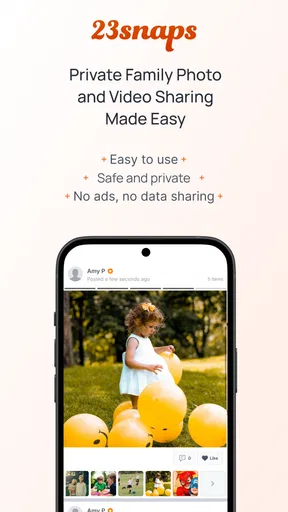
First things first, let's break down what 23snaps is all about. This app is designed to be a private social network where you can share photos, videos, and updates with your loved ones. Think of it as a digital family album that you can access anytime, anywhere. The best part? It’s completely secure and private, meaning only the people you invite can see your posts.
Setting Up Your Family Album
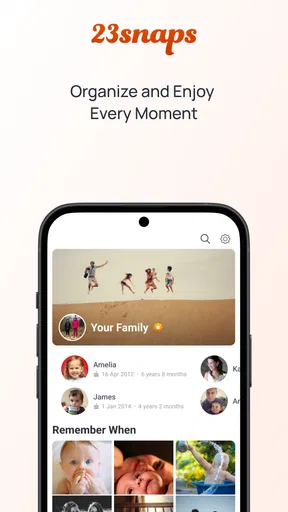
Getting started with 23snaps was a breeze. The app is available for both Android and iOS, so no matter what device you're using, you're covered. Once downloaded, setting up your account is as simple as pie. You can create profiles for each family member, add birthdays, and even include milestones. This makes it easy to keep track of important events and celebrate them within your family circle.
One useful way to keep setup manageable is to start with the people who will actually check in, rather than inviting every relative at once. A small, active circle makes it easier to establish what belongs in the album and gives early posts a better chance of getting a response. You can broaden the group later if the habit sticks. I would also use birthdays and milestones selectively: they are helpful anchors for remembering events, but adding every detail before the family has settled into a routine can make setup feel like a task in itself.
Sharing Moments—Safely
One of the standout features of 23snaps is its emphasis on security. In a world where privacy is often compromised, this app ensures that your family moments stay within your chosen circle. Sharing is straightforward; you can upload photos and videos, write captions, and even add comments. Only people you invite can see and interact with your posts, so you can share freely without any privacy concerns.
I would still think carefully about what goes into any online family space. A private audience is narrower than a public feed, but family members can have different ideas about what should be shared and how images should be handled. A useful approach is to keep captions simple and avoid including sensitive details alongside a child’s picture. That is not a special setting to hunt for; it is a sensible family agreement that makes private sharing more comfortable.
Stay Connected with Loved Ones
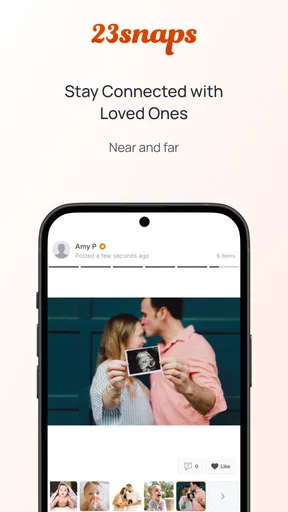
23snaps is more than just a photo album; it's a way to stay connected with family members who might be far away. The app allows you to comment on posts and react with emojis, making interactions feel more personal. Plus, you get notifications whenever someone adds a new update, so you're always in the loop.
Notifications can help relatives notice a new moment, but they can also become noise if every update feels equally urgent. I would encourage family members to treat them as invitations to catch up rather than demands for an immediate response. The best rhythm is the one that fits the household: parents can post when it suits them, and relatives can respond when they have time. If people feel pressured to react to every picture, the warm, low-key purpose of the album can quickly turn into an obligation.
Features That Stand Out
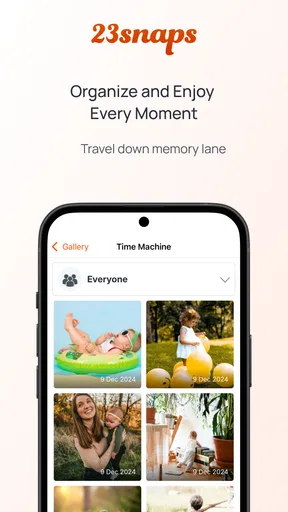
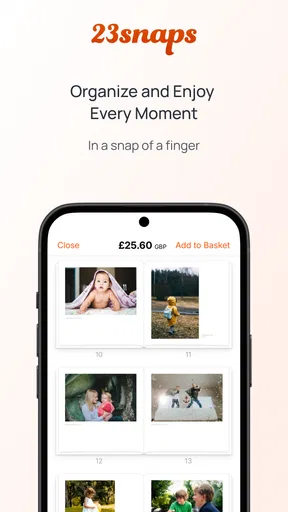
What really caught my attention were the extra features that make 23snaps a joy to use. For instance, you can create a timeline for each child, documenting their growth and milestones. There’s also an option to print photo books directly from the app, which is a fantastic way to preserve memories in a tangible form.
The child timelines offer a way to look back by person rather than relying on memory or scrolling through a busy conversation. That can be useful when a family wants to notice gradual changes, not just major occasions. I would keep the timeline focused on moments that will mean something later—new interests, a family trip, a small achievement—rather than trying to make it exhaustive. The photo-book option also gives the album a possible end point: if a collection feels worth keeping beyond the screen, selecting a handful of images for print can be more manageable than treating every upload as equally important.
"23snaps is like having a digital scrapbook that's always in your pocket."
Using the App: A Personal Take
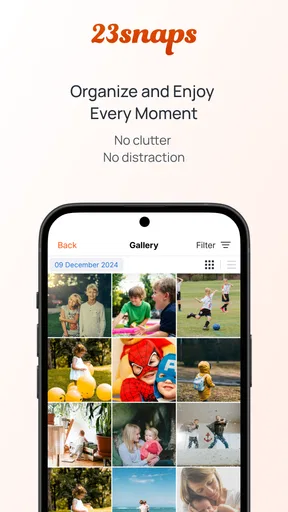
From my experience, using 23snaps was incredibly intuitive. The user interface is clean and easy to navigate, which is a relief for those of us who aren’t exactly tech-savvy. Uploading photos and videos is quick, and the quality remains excellent. I also appreciated the lack of intrusive ads, which is a rarity these days.
That simplicity is a real advantage for relatives who want to look at family pictures without learning a complicated photo-management system. The important question is not just whether the first upload is easy, but whether posting still feels effortless on an ordinary, tired evening. My advice is to avoid making the album another daily checklist. Share when there is something you genuinely want the family to see, and let quieter stretches remain quiet.
What may wear thin over time
The main long-term risk is duplication. If parents already send the same pictures to a chat, post them elsewhere, and save them in a backup library, adding one more upload destination can feel like extra work. A simple rule helps: choose which moments belong in the family album, and do not promise that it will contain every photo. That keeps expectations realistic and reduces the pressure to maintain a complete record.
There is also a social limit that no interface can solve. The album’s value depends on relatives checking it, and a quiet group can make even a well-organized collection feel abandoned. Before moving a family’s sharing routine, ask whether the people who matter most are willing to participate. If the answer is no, a familiar group chat may be the better everyday option, even if it is less tidy for looking back.
Cost is another consideration for families who may want more than the free starting point. 23snaps includes in-app purchases ranging from $1.49 to $49.99 per item. I would begin by using the free app for the basic sharing routine and decide later whether any paid option fits a real need. The app has an average rating of 3.2 from around 1,900 ratings, with about 323 written reviews and over 100,000 installs. Those figures suggest it has found an audience, while also making it sensible to try it with your own family rather than assuming every household will enjoy the same workflow.
Who is likely to keep using it?
I see the strongest fit for parents who want a small, familiar audience for children’s photos, especially when close relatives live elsewhere and enjoy following everyday milestones. It can also suit a family that wants a shared record without turning those memories into public social posts. The fact that it is available on Android and iOS makes it easier to include relatives using different kinds of phones, rather than requiring everyone to share one device ecosystem.
I would skip it if your family already has a group chat everyone checks and no one wants another app, or if your priority is comprehensive photo backup rather than sharing and conversation. It may also disappoint someone expecting a lively public community: its point is the chosen family circle, not discovery beyond it. For a parent who wants to keep every image in a single archival system, a dedicated storage service is a more natural fit; for quick questions and planning, messaging remains simpler.
Does it earn a lasting place?
After the first-week novelty fades, 23snaps earns its space when it becomes a light, repeatable way to bring relatives into family life—not when it is treated as a second job or a perfect historical record. I would start with a few invited relatives, share only the moments I would otherwise send, and see whether the group naturally returns to the album. If that happens, the child timelines, comments, and option to make a photo book give the collection reasons to remain useful over time.
Overall, my experience with 23snaps was nothing short of delightful. It's an app that truly understands the importance of privacy and family connection, making it a must-have for anyone looking to keep their loved ones close, no matter the distance. So go ahead, give it a try, and start building your own private family album today!
Pros
- Easy photo and video sharing.
- Privacy-focused and secure.
- User-friendly interface.
- Supports multiple contributors.
- Ad-free experience.
Cons
- Limited editing tools.
- No offline access.
- Storage limits apply.
- Requires internet connection.
- No desktop version.
FAQs for 23snaps: Private Family Album
What is 23snaps: Private Family Album?
23snaps is a secure photo-sharing app designed for families who want to privately share photos, videos, and updates with loved ones. It allows users to create a virtual album that can be accessed by selected family members and friends, ensuring privacy and security for your cherished moments.
How secure is my data on 23snaps?
Security is a top priority for 23snaps. The app uses encryption to protect your data and offers privacy settings that allow you to control who can view your content. Only invited family members and friends can access your shared moments, providing peace of mind for your family's private memories.
Can I use 23snaps on multiple devices?
Yes, 23snaps is available on both Android and iOS devices, and you can sync your account across multiple devices. This ensures you can access your family album from your smartphone, tablet, or computer, keeping you connected with your family wherever you are.
Does 23snaps offer any special features for sharing memories?
23snaps provides several features to enhance your sharing experience. You can add captions, locations, and dates to your photos and videos. The app also allows you to create stories and timelines, making it easier to track and relive your family’s special moments over time.
Is there a cost associated with using 23snaps?
23snaps offers a free version with basic features. However, for users who want enhanced features, such as HD video uploads and a larger storage capacity, there is a premium subscription available. This allows families to choose a plan that best suits their needs and budget.


